


Lingokids: Games & Shows
4.33.00K Reviews
App Specs
- Version
- 26.40.0
- Updated On
- License
- Free
- Downloads
- 50,000,000+
- Developer
- Lingokids - Games, Shows & Songs for Kids
- Categories
- Education
- Platform
- Android, iOS
Screenshots

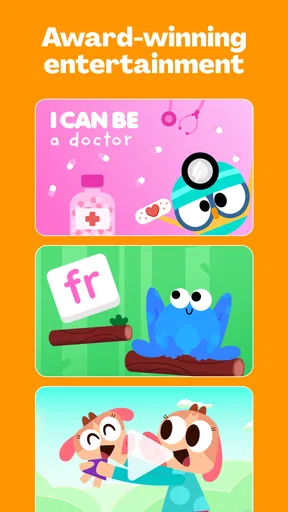
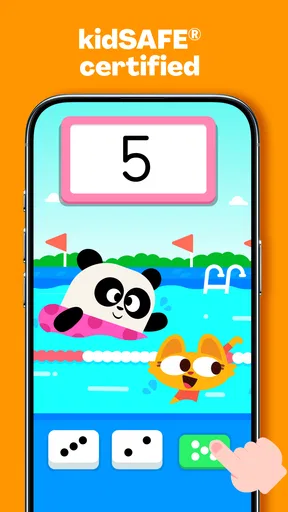
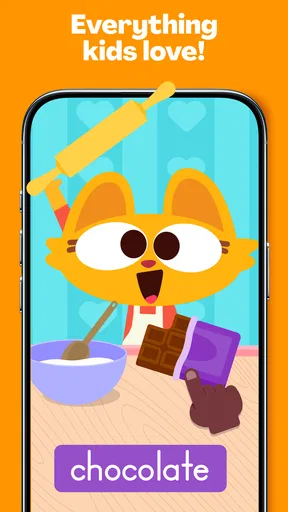
 Analysis by AppCompare
If you’re opening a learning app with a young child for the first time, the most useful question is not how many activities it contains, but whether you can get to one your child enjoys without turning the moment into a setup project. My impression of Lingokids - Play and Learn is that its play-first approach can make that first step feel approachable: children meet learning through activities rather than a screen full of formal lessons. I would still treat it as a shared tool, especially at the beginning, rather than assuming an app can replace an adult’s encouragement or a child’s regular learning routine.
What to expect from the first visit
Lingokids is an education app from Lingokids - Playlearning™ Games & Shows for Kids. It brings together games and other child-focused media around early learning, with a mix of playful presentation and educational topics. The experience is intended for children, but the practical value depends on the grown-up nearby: a parent can help a child choose an activity, notice what holds their attention, and connect a screen-based exercise to something they do away from the device.
The app is free to download, with in-app purchases ranging from $0.99 to $139.99 per item. That makes it sensible to explore the available experience before paying for anything, then decide whether the amount of use in your household justifies a purchase. The app is rated Everyone, but that label does not mean every child will find every activity equally suitable or engaging; age, attention span, and familiarity with a device still matter.
A calm route to the first useful activity
For a first session, I’d keep the goal small. Open the app with your child, look through the available choices together, and invite them to pick one activity that catches their eye. A song or short game is a more realistic starting point than trying to explore every subject in one sitting. Once the child has tried something, ask what they noticed or liked. That quick conversation gives you a better sense of whether the format works for them than simply watching them tap through several screens.
Parents may also find it useful to treat progress features as a way to guide the next choice, not as a scorecard. If a child enjoys a particular kind of activity, use that preference to make another visit easier; if they lose interest quickly, switch to a different format or stop for the day. A successful first use is not finishing a set amount of content. It is finding one activity that feels enjoyable enough for the child to want to return.
Where the playful format helps—and where it can frustrate
The strongest idea here is making practice feel less like a lesson. Games, songs, videos, and puzzles give children different ways to engage, which can be handy when one format is not working. A child who does not want to sit through a video might respond to a puzzle instead. That variety is a practical advantage over a basic worksheet-style learning app, though it also means a child can be drawn to the entertainment without paying much attention to the learning point.
That is why I would use it in short, purposeful visits rather than as an automatic background activity. Sit nearby at first, help your child focus on what an activity is asking, and stop when attention is gone. The app can make practice inviting, but it cannot tell you whether your child understood an idea just because they completed a screen. For that, a simple follow-up away from the device—counting objects together, naming something, or talking about a choice—can be more revealing.
Worth Reading Before You Choose

Flipboard Shows What News Apps Must Do Beyond the Feed

Switching to Android Auto Means Rethinking Your Driving Routine

Google Calendar Makes a Crowded Week Easier to Manage

Ludo King Makes the Most of the Minutes Between Plans

Baby Panda World Brings Quick Play to Modern Phones, but Its Game Library Feels Busy

ESPN’s Live Game View Makes Following Close Games Easier
Making it fit an ordinary day
A realistic use might be a quiet stretch before dinner: you have a few minutes, your child wants something to do, and you choose one activity together rather than handing over the device for an open-ended session. If the child engages, you can let them continue briefly; if they start tapping randomly, that is a useful signal to pause. Another good moment is when a child asks to revisit a topic they already enjoy, because familiar material can make opening the app feel less daunting than presenting it as a new assignment.
Compared with a single-purpose alphabet or number app, Lingokids offers a broader mix of learning and media, so it may suit families who want several kinds of activity in one place. A focused app can be the better choice if you want to practise one specific skill with fewer distractions. And if your child learns best through conversation, books, outdoor play, or hands-on objects, those options may be more effective than adding another screen session. I’d see this app as one possible part of a child’s routine, not the routine itself.
Common questions I’d settle before committing
Can a child use it independently? Some children may manage the basic interactions, but I would stay close during the first sessions and check in even after they are comfortable. That helps you see whether they are choosing activities intentionally and whether the experience is still useful. Does the free download mean everything is included? No: the app has in-app purchases, so I would review the purchase choices before a child uses the device unsupervised. This is an especially worthwhile step if the device is shared or payment controls are important in your household.
Will it suit every learner? Probably not. A child who prefers quiet, unstructured play may find the screen-based choices less appealing, while a child who wants a narrowly defined practice tool may do better with a more focused alternative. Is it a replacement for teaching? I would not use it that way. It can offer an engaging prompt for practice, but a parent or caregiver still brings context, conversation, and the judgment to know when the child needs a break.
On the practical side, the app’s current version is 25.52.0 and its minimum operating-system requirement is version 7.0. It has been available since August 10, 2015, and has grown to more than 50 million installs. Those figures give a sense of its established presence, but they do not tell you whether its style fits your child; the first short session is a much better test.
What Makes Lingokids Stand Out?
Lingokids is more than just a learning app; it’s a vibrant world where kids can explore new concepts through play. It covers a broad spectrum of subjects—from languages and math to social-emotional skills—all wrapped up in colorful animations and engaging gameplay. The app aims to make learning as natural as playing, and honestly, it does a pretty good job!
Interactive and Engaging Content
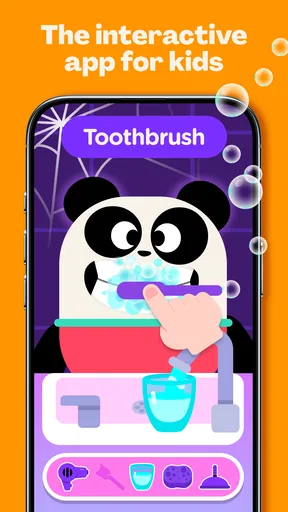
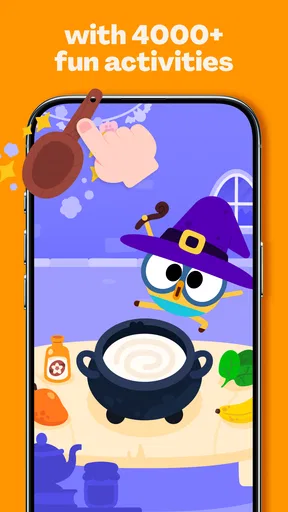
One of the first things I noticed about the app was its interactive design. The developers have nailed it with activities that feel more like games rather than traditional lessons. There are songs, videos, and puzzles that keep kids hooked, which is crucial when dealing with younger audiences. Trust me, getting them to focus isn’t easy, but Lingokids manages to hold their attention well.
Easy to Navigate
The interface is super user-friendly. Even if you’re not particularly tech-savvy, you’ll find it a breeze to navigate through the different sections. The app is designed with kids in mind, so everything is intuitive. Plus, parents can easily track progress and customize learning paths to suit their child’s needs.
Safe and Kid-Friendly Environment
Safety is a big deal, especially when it comes to apps for children. Lingokids ensures a safe, ad-free environment, which means you can let your kids explore without worrying about inappropriate content popping up. It’s a relief knowing they’re learning in a secure space.
Content That Grows with Your Child
Another cool feature is how the content evolves with your child’s learning curve. The app adjusts to different age groups and skill levels, so you’re not stuck with the same old materials. It keeps things fresh and challenging, which is essential for sustained interest and effective learning.
Is It Worth It?
Now, onto the big question: is Lingokids - Play and Learn worth downloading? If you’re looking for an app that combines education with entertainment, then absolutely! The app offers a free version, but to unlock the full treasure trove of resources, there’s a paid subscription. Considering the quality and breadth of content, it’s a small price to pay for such a comprehensive learning tool.
In conclusion, Lingokids - Play and Learn is a fantastic choice for parents who want to make education fun and interactive. It’s packed with diverse content, easy to use, and most importantly, it’s designed with kids’ needs in mind. So go ahead, give it a try, and watch your little ones embark on their learning adventure!
Pros
- Engaging educational games for kids.
- User-friendly interface for easy navigation.
- Content available in multiple languages.
- Regular updates with new activities.
- Parental control features ensure safety.
Cons
- Limited free content without subscription.
- Requires internet for most features.
- Some activities may be too easy for older kids.
- Can be data-heavy on devices.
- Ads appear in the free version.
FAQs for Lingokids: Games & Shows
What age group is Lingokids suitable for?
Lingokids is designed for children aged 2 to 8 years. The app offers a variety of educational games and activities tailored to different age levels to ensure that content is appropriate and engaging for young learners. Parents can rest assured that their children will find age-appropriate challenges and learning opportunities.
Does Lingokids require an internet connection to use?
Lingokids primarily functions online, as it frequently updates its content to provide fresh and relevant learning materials. However, there are offline features available for certain activities, allowing children to continue learning without an internet connection. This flexibility ensures uninterrupted learning on the go.
Are there any parental controls available in Lingokids?
Yes, Lingokids includes a comprehensive set of parental controls. Parents can monitor their child’s progress, set usage limits, and customize learning paths. These controls are designed to give parents peace of mind while allowing them to tailor the educational experience according to their child’s needs.
Is Lingokids free to use?
Lingokids offers a free version with limited access to its features and content. For a more comprehensive experience, parents can opt for the premium subscription, which provides full access to all games, activities, and updates. The app frequently offers promotions and discounts for new subscribers.
What subjects does Lingokids cover?
Lingokids covers a wide range of subjects including language, math, science, and social-emotional learning. The app uses interactive games and activities to teach these subjects, making learning fun and engaging. This multidisciplinary approach ensures children develop a well-rounded educational foundation.


